


Introduction
The World Cup always delivers moments that surprise you. But few Group B matchups in the 2026 tournament carry as much intrigue as Qatar vs Switzerland. On June 13, 2026, at Levi’s Stadium in Santa Clara, California, these two nations kick off their World Cup campaigns in what promises to be one of the more fascinating opening-day clashes of the entire tournament.
You might look at the FIFA rankings and assume this one is settled before a ball is kicked. Switzerland sit 19th in the world. Qatar are ranked 56th. That is a gap of 37 places. But football does not care about spreadsheets. Qatar arrive as two-time defending AFC Asian Cup champions, having actually earned their World Cup spot through qualifying for the first time. Switzerland arrive as a well-organized European side with a point to prove in the knockout rounds.
This article breaks down everything worth knowing: the head to head record, key players on both sides, tactical setups, form, and what is genuinely at stake in Group B.
The Only Previous Meeting: Qatar Won
Here is a fact that might surprise you. Qatar and Switzerland have met just once in their entire footballing history.
That meeting came in November 2018. It was a friendly played in Lugano, Switzerland. Qatar won 1-0 thanks to a goal from Akram Afif in the 86th minute. A late winner, on Swiss soil, against a side ranked far higher at the time.
So heading into the 2026 World Cup, Qatar actually hold a perfect record in this fixture. One game played, one win, zero goals conceded.
Of course, you should treat that with healthy skepticism. It was a single friendly eight years ago. Both squads have changed significantly. But if you are looking for a historical edge, Qatar technically have it.
What makes this 2026 meeting genuinely historic is the fact that it will be the first competitive encounter between the two nations. They have never met in a World Cup, a continental championship, or any competitive qualifier before now.
Group B Context: What Is at Stake
Qatar and Switzerland are not playing in isolation. Group B also features Canada and Bosnia and Herzegovina.
Switzerland are widely considered one of the two frontrunners to advance from the group, alongside host nation Canada. A win in their opener against Qatar would put them in an excellent position to qualify for the round of 16.
For Qatar, the stakes feel even higher emotionally. At the 2022 World Cup, they became the first host nation in history to lose all three group games. That hurt. This time, they qualified on the pitch through AFC competition. They arrive with something to prove.
A victory or even a draw against Switzerland in the opening game would send a powerful message. It would also keep their knockout round ambitions very much alive.
Qatar at World Cup 2026: Redemption Season
How Qatar Qualified
Qatar did not receive an automatic berth this time. They earned their place the hard way, navigating the AFC qualifiers and sealing their spot with a 2-1 win over the UAE in October 2025. That result mattered beyond the three points. It gave Qatar proof that they belonged on the world stage through merit, not geography.
The Manager: Julen Lopetegui
Few appointments in world football grabbed as many headlines as Julen Lopetegui taking charge of Qatar. The Spanish coach brings serious pedigree. He led Spain as national team manager, won the Europa League with Sevilla in 2020, and has coached Real Madrid and Porto. His time at Wolves and West Ham in the Premier League was turbulent, but his technical knowledge is not in question.
Lopetegui has spent his time with Qatar testing multiple systems. The 4-2-3-1 seems his most trusted setup. The key is building a compact structure that protects a defence that historically struggles at the highest level.
Qatar’s Key Players
Akram Afif is the heartbeat of this team. The 29-year-old Al Sadd winger is a two-time AFC Player of the Year and won the Golden Ball at the 2023 Asian Cup. He provided 11 assists during AFC World Cup qualifying, more than any other player across the entire confederation. His ability to create chances and score late goals makes him genuinely dangerous.
Almoez Ali is Qatar’s all-time top scorer and their most reliable goal threat. He scored 12 goals during AFC World Cup qualifying, again the most of any player in the confederation. At 29, he is in his prime. He starts every big match. His record for his country is remarkable, close to a goal per cap at international level.
Hassan Al-Haydos at 35 brings leadership and experience. He is the captain and one of the most decorated players in Qatari football history. His composure in big moments will matter.
Qatar’s Recent Form Concern
Here is the honest truth about Qatar’s recent form. Their last six matches have been poor. They have won zero, drawn two, and lost four. They scored just two goals across those six games. That attacking drought is a real problem heading into a World Cup opener against a well-organized Swiss defence.
Lopetegui will need Afif and Ali firing from the first whistle if Qatar want a result here.
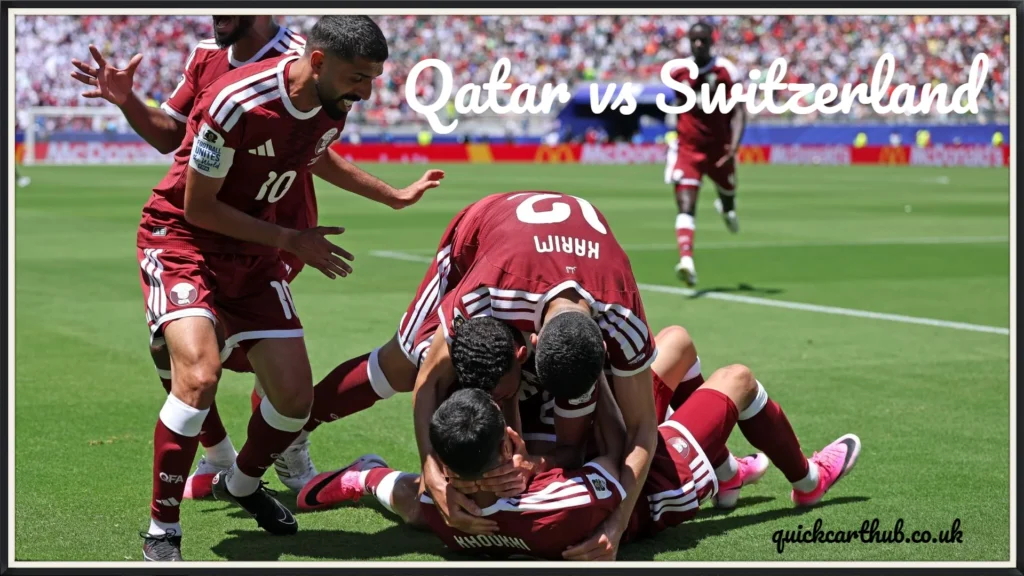
Switzerland at World Cup 2026: Built for the Knockout Rounds
How Switzerland Qualified
Switzerland did not just qualify. They dominated. Murat Yakin’s side finished first in UEFA Qualifying Group B without losing a single match. They beat Sweden home and away, hammered Kosovo 4-0, and showed defensive solidity throughout. An unbeaten qualifying run sends a message.
The Manager: Murat Yakin
Yakin has been in charge since 2021 and took Switzerland to the 2022 World Cup in Qatar, where they reached the round of 16. At Euro 2024, they pulled off one of the tournament’s biggest shocks by eliminating defending champions Italy before falling to England on penalties. He knows how to set up a team to frustrate superior opposition and hit on the counter.
Switzerland’s Key Players
Granit Xhaka at 33 years old is the soul of this team. The Sunderland midfielder leads the squad with 145 international caps, making him Switzerland’s most capped player ever. This is his fourth consecutive World Cup. He controls tempo, screens the defence, and dictates how Switzerland build from deep. Everything Yakin builds runs through him.
Manuel Akanji anchors the defence. The Inter Milan centre-back reads danger early, steps out with the ball confidently, and uses his pace to defend high. At 30, he is in his absolute prime.
Dan Ndoye of Nottingham Forest offers pace and directness on the wing. He can stretch any defensive line.
Breel Embolo gives Switzerland a physical presence in attack and has the experience of multiple major tournaments behind him.
The bench depth here matters too. Yakin has Premier League players, Bundesliga regulars, and Serie A experience throughout the squad. Switzerland are genuinely stacked for a side ranked 19th.
Switzerland’s Recent Results
Their recent form tells a more balanced story:
- Switzerland 4-1 Jordan (May 2026)
- Norway 0-0 Switzerland (March 2026)
- Switzerland 3-4 Germany (March 2026)
- Kosovo 1-1 Switzerland (November 2025)
- Switzerland 4-1 Sweden (November 2025)
Plenty of goals going both ways. The loss to Germany shows they can be opened up. But 4-1 wins over Jordan and Sweden show their attacking quality when things click.
Tactical Breakdown: How This Match Could Play Out
Qatar’s Likely Approach
Expect Qatar to sit compact and defend deep in the first half. Lopetegui understands that absorbing pressure and hitting Switzerland on the counter is the only realistic game plan. Afif will be key on the transition, receiving the ball in space and driving at defenders. Ali will work hard to hold the line and create room for runners.
Qatar will try to limit Switzerland to shots from distance and frustrate them into errors. If they can get to halftime level, the game opens up in the second half.
Switzerland’s Likely Approach
Switzerland will build possession patiently. Xhaka organizes from deep, Akanji brings the ball out from the back, and Ndoye stretches the field wide. They are patient. They do not panic when the first half is tight.
The danger for Switzerland is qatar vs switzerland pace on the break. Afif in behind their defensive line could cause real problems if they push too many men forward.
Prediction: Who Has the Edge?
Honestly? Switzerland are the stronger side on paper. The ranking gap is real, and their squad quality across all positions outweighs Qatar’s. Their qualifying form was exceptional. Xhaka and Akanji bring genuine world-class quality.
But Qatar are not without weapons. They have a world-class creative player in Afif. They have a prolific scorer in Ali. And Lopetegui’s tactical experience means they will not be disorganized or naive.
The most likely scenario is a close, tight match. Switzerland edge it through a moment of individual quality, possibly from Ndoye or Embolo. But do not be shocked if Qatar grab a draw or even sneak a winner in stoppage time. They have done it before.
Our lean: Switzerland to win, but by a narrow margin.
FAQ
Q: When is Qatar vs Switzerland at the 2026 World Cup? The match takes place on June 13, 2026, at Levi’s Stadium in Santa Clara, California, with kickoff at 19:00 UTC.
Q: Have Qatar and Switzerland played before? Yes, once. Qatar beat Switzerland 1-0 in an international friendly in Lugano in November 2018. Akram Afif scored the only goal.
Q: What group are Qatar and Switzerland in at World Cup 2026? Both teams are in Group B, alongside Canada and Bosnia and Herzegovina.
Q: What are the FIFA rankings for Qatar and Switzerland? As of June 2026, Switzerland are ranked 19th and Qatar are ranked 56th in the world.
Q: Who is Qatar’s best player at the 2026 World Cup? Akram Afif is widely considered Qatar’s most dangerous player. He provided 11 assists during AFC qualifying and has won the AFC Player of the Year award twice.
Q: Who manages Qatar at the 2026 World Cup? Julen Lopetegui, the Spanish coach who previously managed Real Madrid, Sevilla, Porto, Wolves, and West Ham.
Q: Who manages Switzerland at the 2026 World Cup? Murat Yakin has been Switzerland’s manager since 2021. He guided them to an unbeaten qualifying campaign for the 2026 tournament.
Q: Who is Switzerland’s captain at World Cup 2026? Granit Xhaka captains Switzerland. He is the country’s most capped player with 145 international appearances.
Q: Is Qatar vs Switzerland a competitive fixture for the first time? Yes. Despite meeting in a 2018 friendly, the 2026 World Cup match will be their first ever competitive meeting.
Q: What happened to Qatar at the 2022 World Cup? Qatar finished last in their group, losing all three matches. They became the first host nation in World Cup history to fail to win a single game.
Conclusion
The Qatar vs Switzerland match at the 2026 World Cup is more than just a Group B opener. It is a story of redemption, ambition, and two nations with very different paths to Santa Clara.
Switzerland come in with stronger rankings, a deeper squad, and a battle-tested manager. Qatar come in with something to prove, two dangerous forwards, and the experience of knowing exactly what it feels like to crash out at the group stage with nothing.
If you are watching World Cup 2026, do not sleep on this one. The tight group, the historical context, and the quality on both sides make it one of the genuinely must-watch matches of the opening round.
Which team do you think comes out on top? Drop your prediction and let the debate begin.
also read: quickcarthub.co.uk
email: johanharwen@314gmail.com
Author Name: Tariq Hassan
Author Bio: Tariq Hassan is a football writer and sports analyst with over eight years of experience covering international tournaments, World Cup qualifiers, and club football across Asia, Europe, and the Middle East. He has contributed to multiple sports publications and specializes in tactical breakdowns and match previews. When not writing, he is usually watching football at unusual hours and defending his wildly wrong predictions.